Back to Asset Essentials Main Menu
The AI Summary feature generates a concise, auto-generated overview of key information for a selected work order. It helps technicians quickly understand critical details on the current work order such as the issue, actions taken, and status without reviewing every field individually. This allows technicians to start work faster and supports efficient shift handovers by clearly summarizing prior actions and outcomes.
NOTE This feature is only available to clients who have purchased Asset Essentials Enterprise. Please contact your Sales Representative or Client Services if you are interested in purchasing Asset Essentials Enterprise.
NOTE This feature is available on both the Web and Mobile versions of Asset Essentials (AE). If AI Summary button is not visible in your AEE environment , please contact your system administrator for assistance.
Access AI Summary
-
Login to Asset Essentials.
-
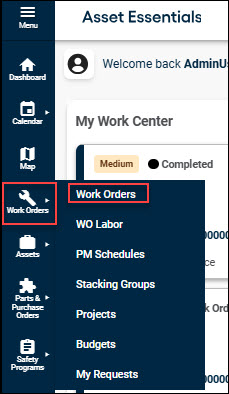
Navigate to Work Orders → Work Orders.
-
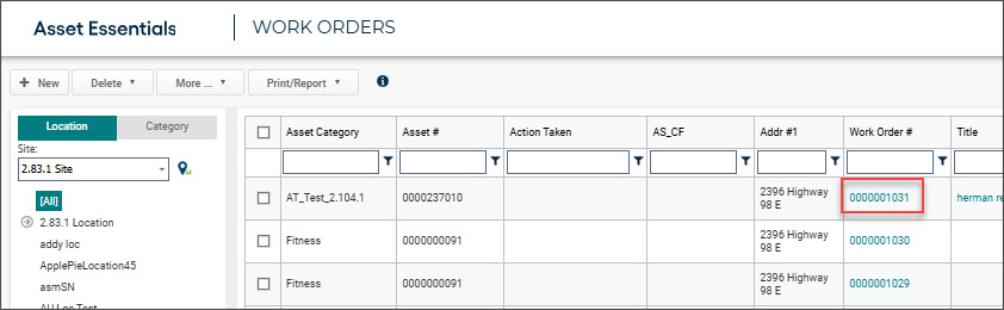
Select the work order you want to summarize.
-
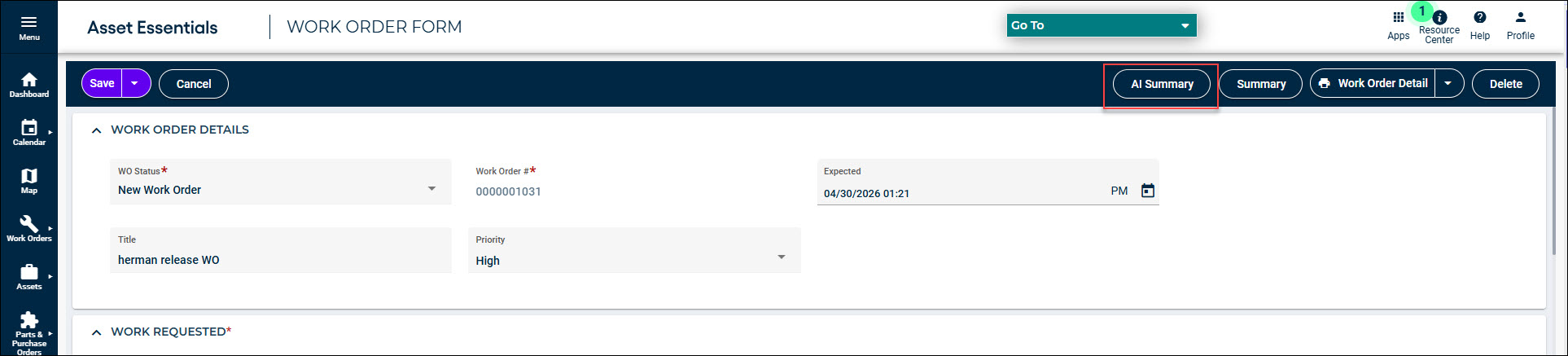
Within the work order, locate and select AI Summary.
How AI Summary Works
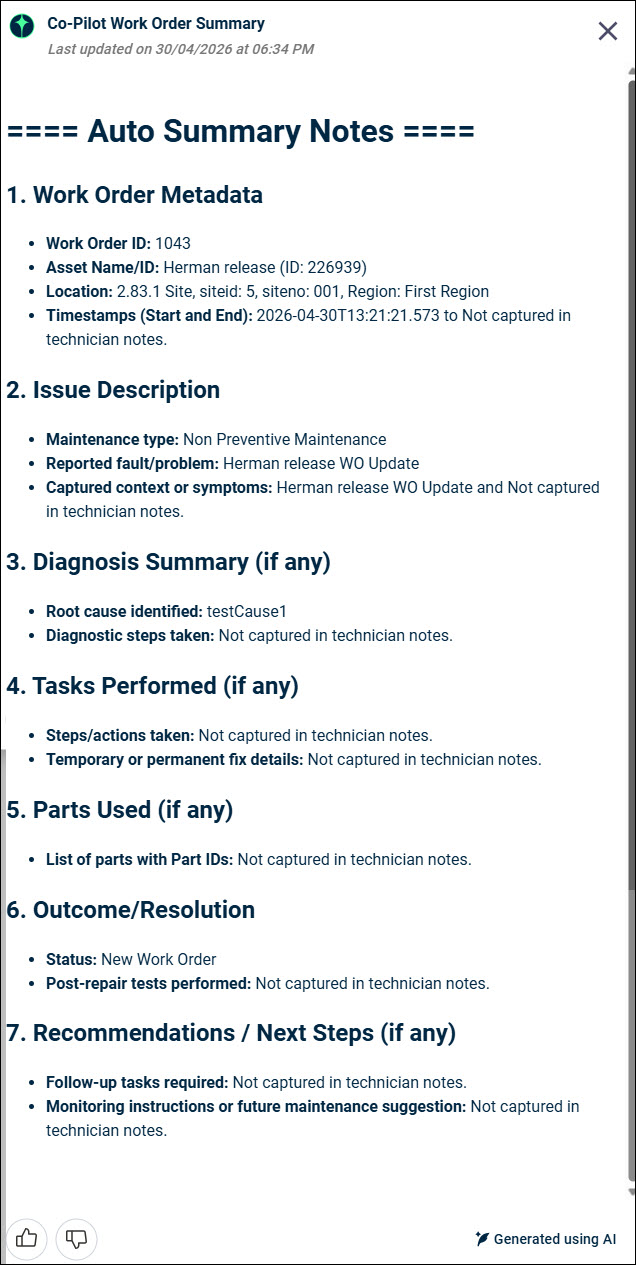
Upon clicking AI Summary, an AI-generated Work Order Summary window will appear, presenting a concise, auto-generated summary of the work order's key information across various categorized sections for easy review.
The following sections will appear in the window:
-
Work Order Meta Data
-
Issue Description
-
Diagnosis Summary
-
Tasks Performed (if any)
-
Parts Used (if any)
-
Outcome/Resolution
-
Recommendations / Next Steps (if any)
NOTE These are predefined fields. If data for a specific category is not recorded in the work order, the summary will indicate that the information is "not captured." The generated summary is produced entirely by AI and reflects the latest available data in the Work Order.
Providing Feedback
The user can provide feedback on the usefulness of the AI-generated summary directly within the feature by selecting the thumbs up or thumbs down icons.
