Asset Type and Asset Subtype
Objective: Gain an understanding of how to create an Asset Type or Asset Subtype.
Admin Users can add or edit Asset Types and Asset Subtypes in the Administration module. This is typically completed during the initial configuration stage of an environment, to ensure those options are available for selection when creating or updating Assets.
Steps
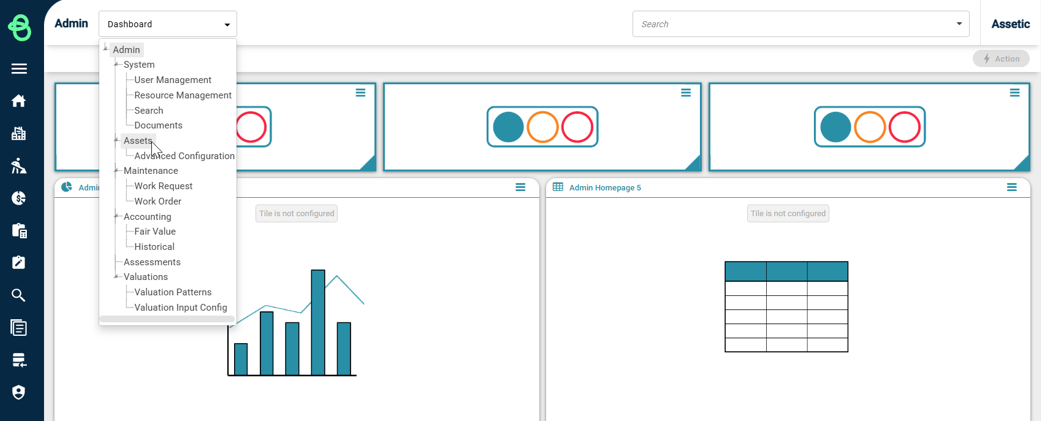
From the Navigation Sidebar, select 'Admin' and then select 'Assets' from the Navigation Dropdown.
Click on the 'Asset Types' tab to load the Asset Types page. In the main window on the left, there is a hierarchy tree called 'Asset Type & Subtype' that lists all Asset Types alphabetically.
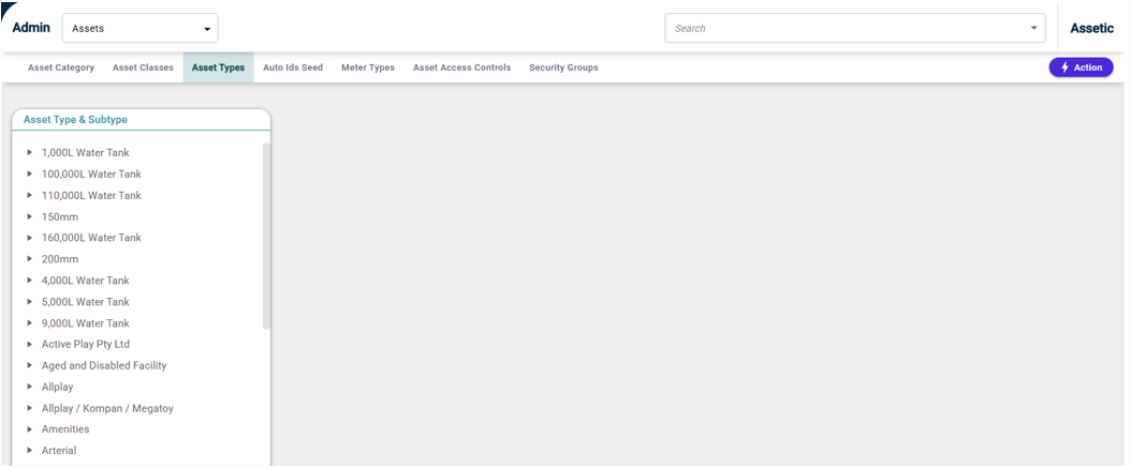
It is possible to delete an Asset Type or Subtype by selecting the record from the hierarchy tree on the left and then selecting delete from the Actions menu.
Creating an Asset Type
To add an Asset Type, select 'Create Asset Type' from the Actions menu. A window titled ‘Add/Edit Type' will open as shown below:
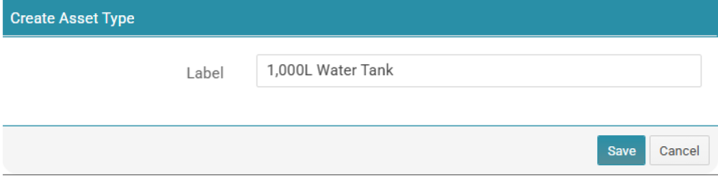
Populate the Label field, in this example, it is ‘1,000L Water Tank’.
Click on the Save button and a system message stating ‘Successfully added Asset Type’ will appear at the bottom right corner of the screen, confirming the action.
Now, when scrolling back up to the top of the tree list we can see that ‘1,000L Water Tank’ has appeared in the Asset Type tree.
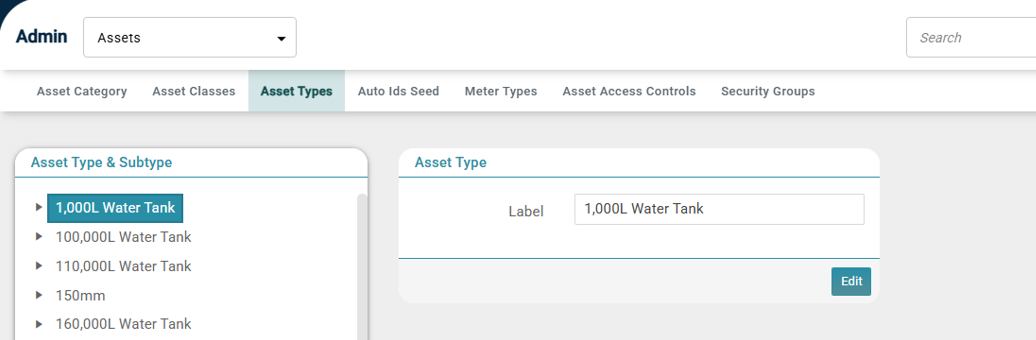
As an example, an Asset Subtype will be added to this Asset Type. To do this, select the ‘1,000L Water Tank’ by clicking on it and it will become highlighted.
Now, ‘Create Asset Subtype' can be selected from the Actions menu, which will open the 'Create Asset Subtype' pop-up with the selected Asset Type already populated in the Parent field.
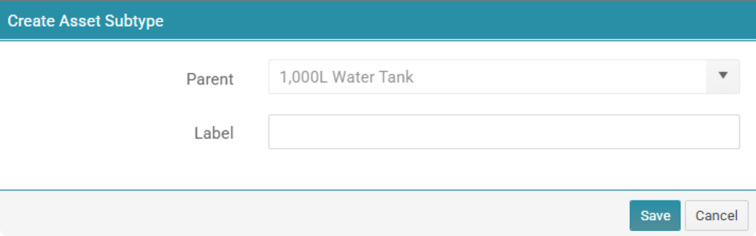
After the Label field is populated, select Save.
Alternatively, users are able to create an Asset Subtype by clicking 'Create Asset Subtype' without clicking on an existing Asset Type. Then the user will need to select the Asset Type parent from the drop-down menu.
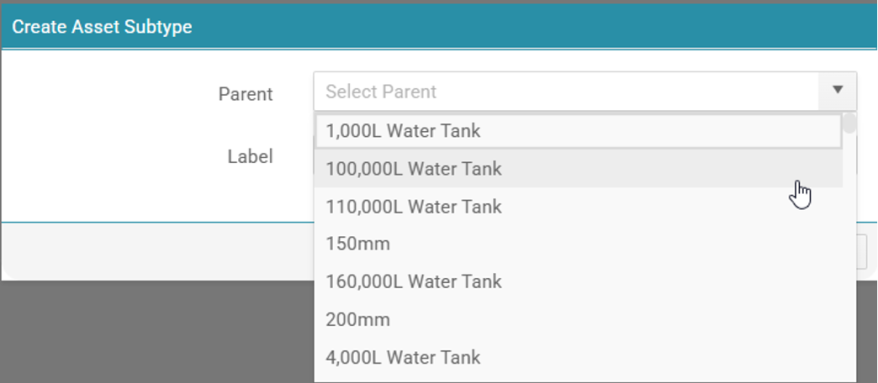
The next requirement is to enter an Asset Subtype label and select 'Save'. It is possible for many Subtypes to be associated to an Asset Type.
Once a record is created, select the record in the hierarchy tree and a window will appear that will allow the record to be edited and saved.
How to Create Asset Type and Subtype:
