View Assessment Results in the Asset Register
Objective: Gain an understanding of how to view Assessment Results for an Asset.
Level 2 Assessment Results can be viewed in the asset register against Simple Assets in each Simple Asset Group (SAG).
Navigate to any asset in the asset register that currently has completed Level 2 assessments.
Navigate to the lowest level SAG for any given SAG hierarchy.
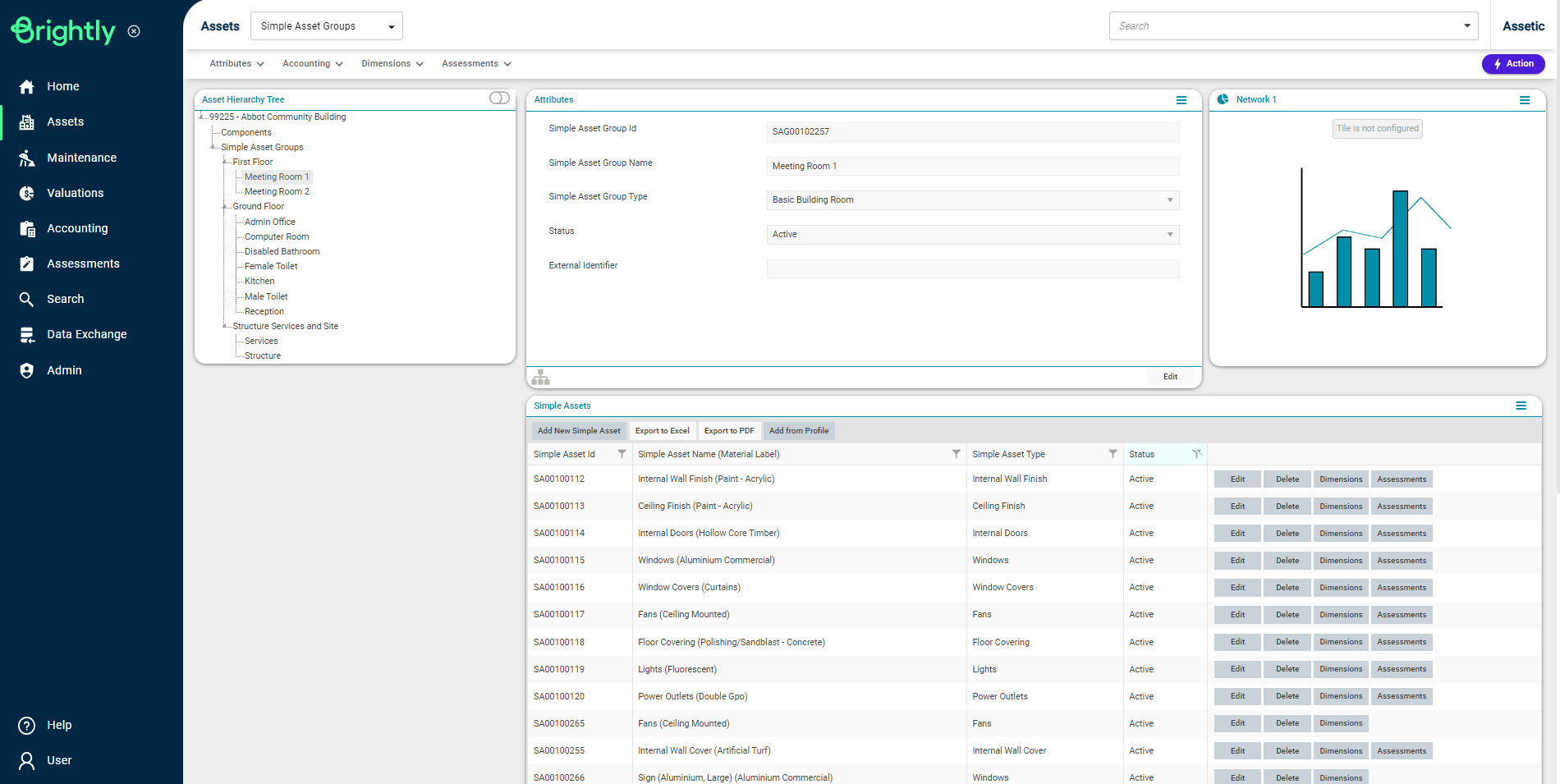
On the bottom half of the right side of the screen, all Simple Assets in that SAG will appear.
By clicking the 'Assessments' button against a corresponding Simple Asset, users can view the most recent Level 2 Assessment Results available.

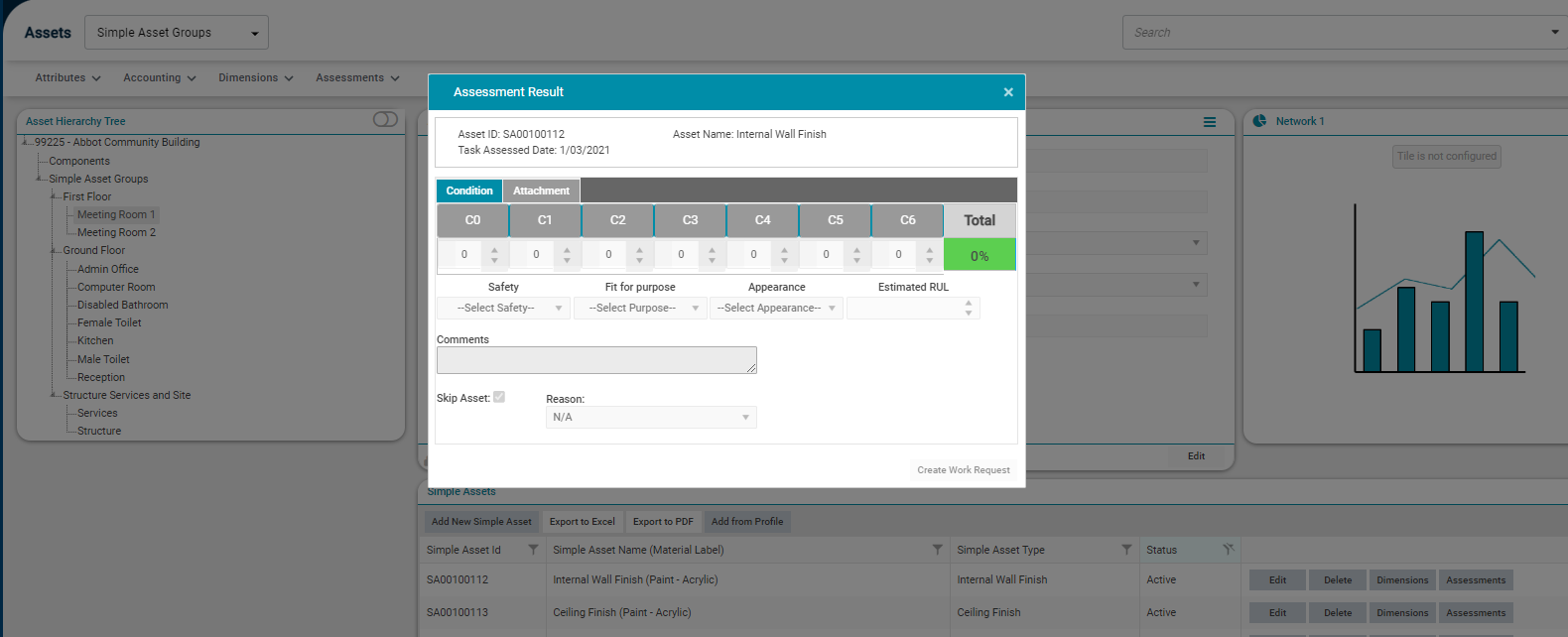
NOTE The Assessment module is directly linked with Asset register and the assessments results of any simple asset in the Asset register displays the latest assessment results available.
