Site Settings
Objective: Gain an understanding of the Site Settings options available to clientAdmin users in Assetic.
In the Administration module, a number of Site Settings can be configured to apply across the entire Assetic environment. These can be found in the Admin → System → Site Settings tab
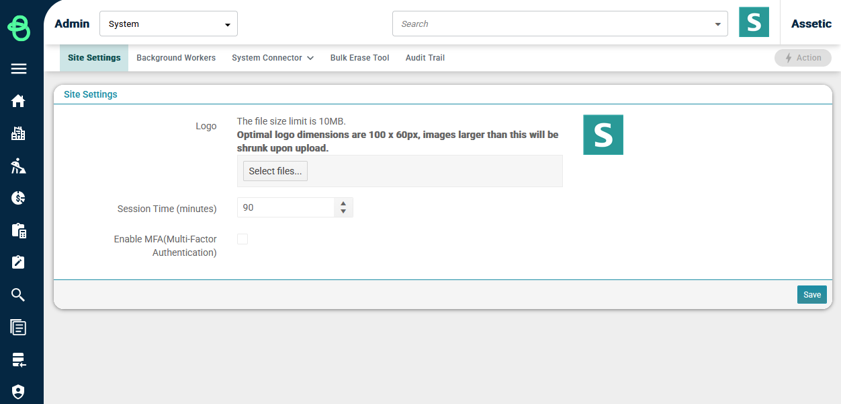
Logo: An optional logo image can be uploaded, and will be displayed at the top right of every page in the environment. After uploading a new logo, the page will need to be refreshed to see the change.
Session Time: This specifies how many minutes a user account can be inactive before it is automatically logged out. For security purposes, the maximum session time setting is 90 minutes – entering any duration longer than 90 minutes will be saved as a 90 minute setting.
Enable MFA (Multi-Factor Authentication): An optional setting which, if enabled, means that any user logging in without using SSO will be prompted to complete an email-based MFA process. After entering their username and password, they’ll be required to input a 6-digit single-use verification code that is sent to their registered email account.
